Squeeze your images, videos and PDFs on your own machine.
Skweejee is the only app that lets you process images and videos together during the same run, so you never have to switch back and forth. Simply drop in hundreds of files and let us do the work.
completely free, completely local - forever :)
beach-sunset.jpg
12.4 MB →1.8 MB
family-trip.mov
480 MB →96 MB
portfolio.pdf
38 MB →9.2 MB
screenshot.png
3.1 MB →410 KB
What it actually does
Plenty of things will shrink a file. The work is in not having to open every one afterwards to check you didn't ruin it.
Quality targeting, not guesswork
Pick a visual quality target and Skweejee converges on the smallest file that still hits it, measured with VMAF. Stop hand-tuning CRF sliders and hoping. Handbrake can't do this.
See before you commit
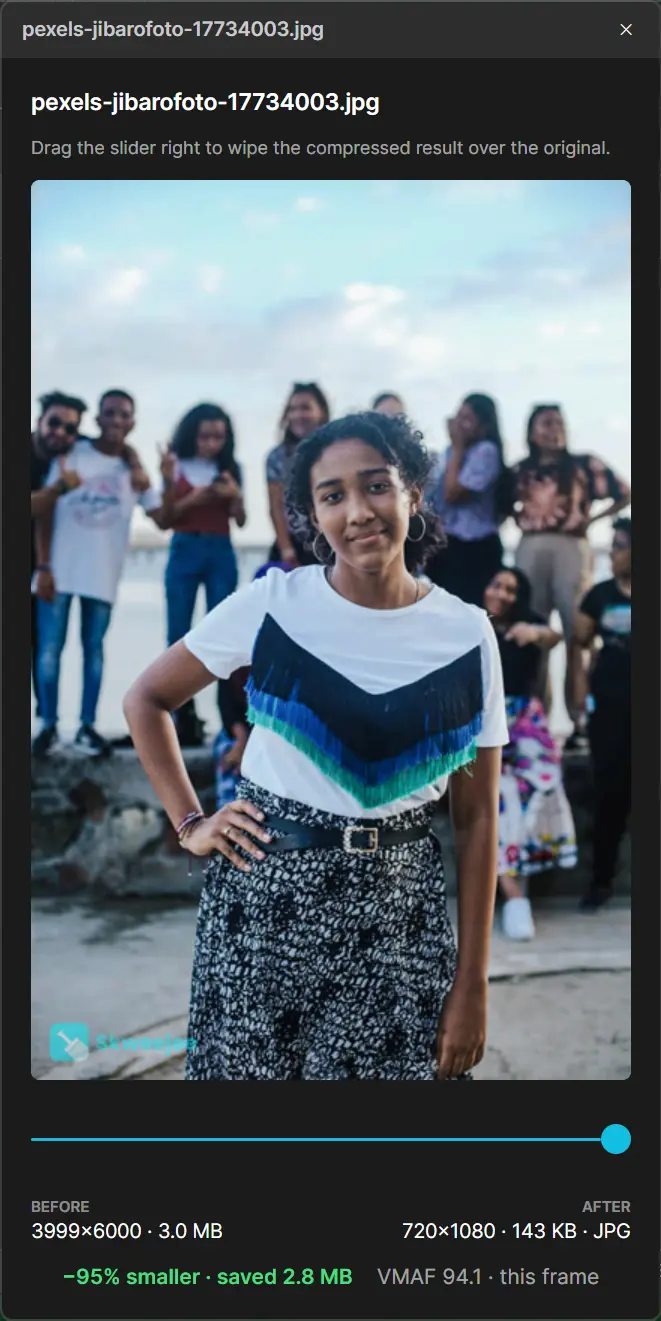
A drag-to-wipe before/after view with size saved, dimensions, and quality score, so you never wonder if you just wrecked your photos.
Watermark the whole batch
Drop in a logo or type a line of text and Skweejee stamps it onto every image and video as it encodes. Set position, opacity and size or choose to repeat across the whole frame.
Recursive file finding
Select or drop in a folder and Skweejee will automatically find any images, videos or PDFs inside. When exporting as a .zip, folder hierarchy is preserved.
Best-in-class video control
H.264, H.265, VP9 & AV1 with hardware acceleration (NVENC, Quick Sync, AMF). Crop black bars automatically, denoise, resize, cap fps, target a file size in MB.
Smart auto-format
Skweejee classifies each file (photos become WebP, screenshots and line-art become PNG) instead of forcing one setting on everything.
Watch folders & right-click
Drop a file into a watched folder and it compresses to your preset automatically. Or right-click any file in Explorer and choose Compress.
Web-ready export sets
One source out to multiple widths across AVIF, WebP & JPEG, with a ready-to-paste <picture>/srcset snippet for responsive sites.
All local. Always.
Files are read and written straight to disk. Nothing is uploaded, nothing rounds through a server. Works fully offline.
Formats it reads and writes
Images
- Reads
- JPGPNGWebPAVIFTIFFHEICBMP
- Writes
- WebPAVIFJPEGPNGAuto
Video
- Reads
- MP4MOVWebMMKVAVI
- Writes
- H.264H.265VP9AV1
- Reads
- Writes
- Recompressed PDF
What it looks like
These are captures of the actual app doing actual work. Nothing here is a mockup.
01 / 04
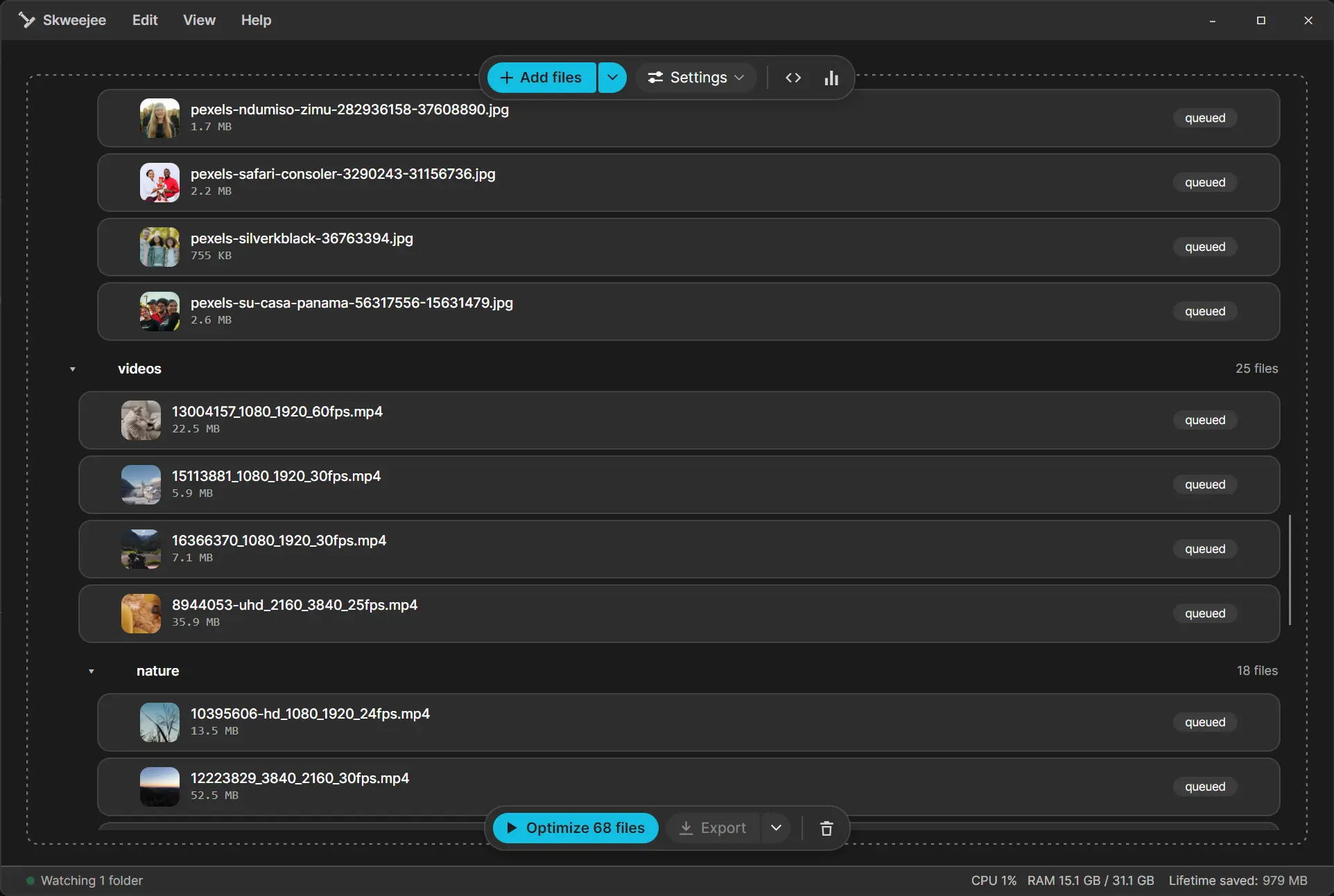
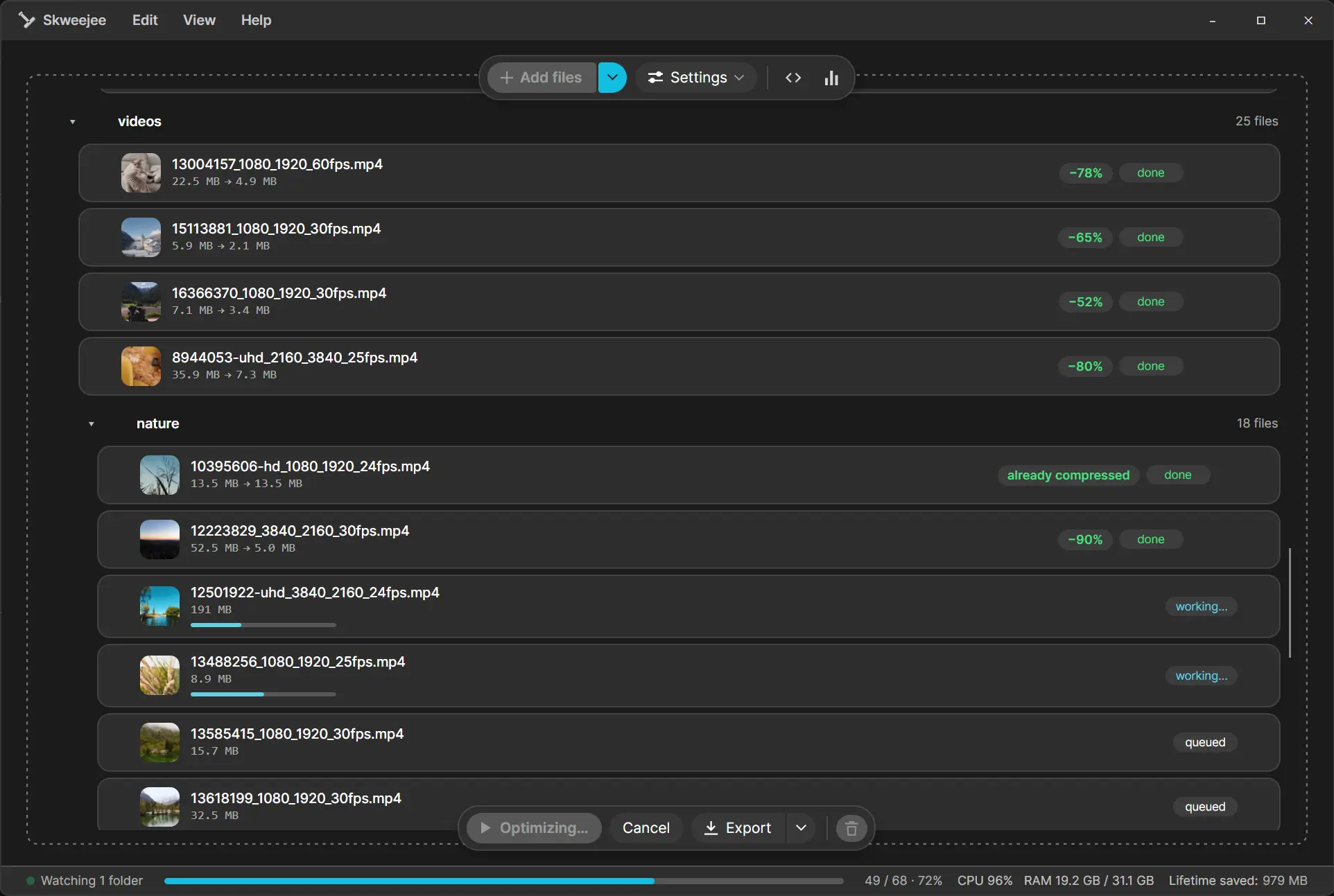
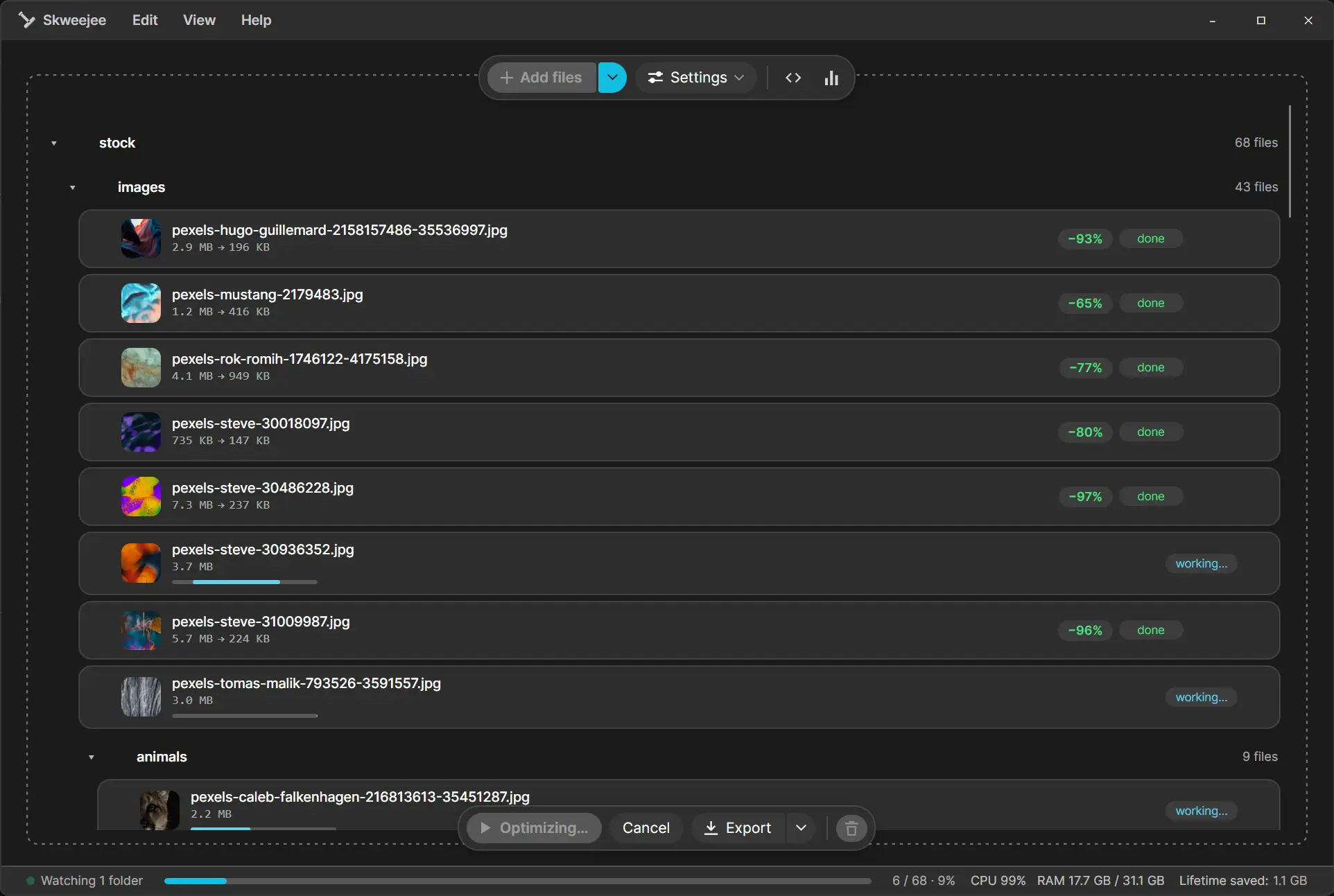
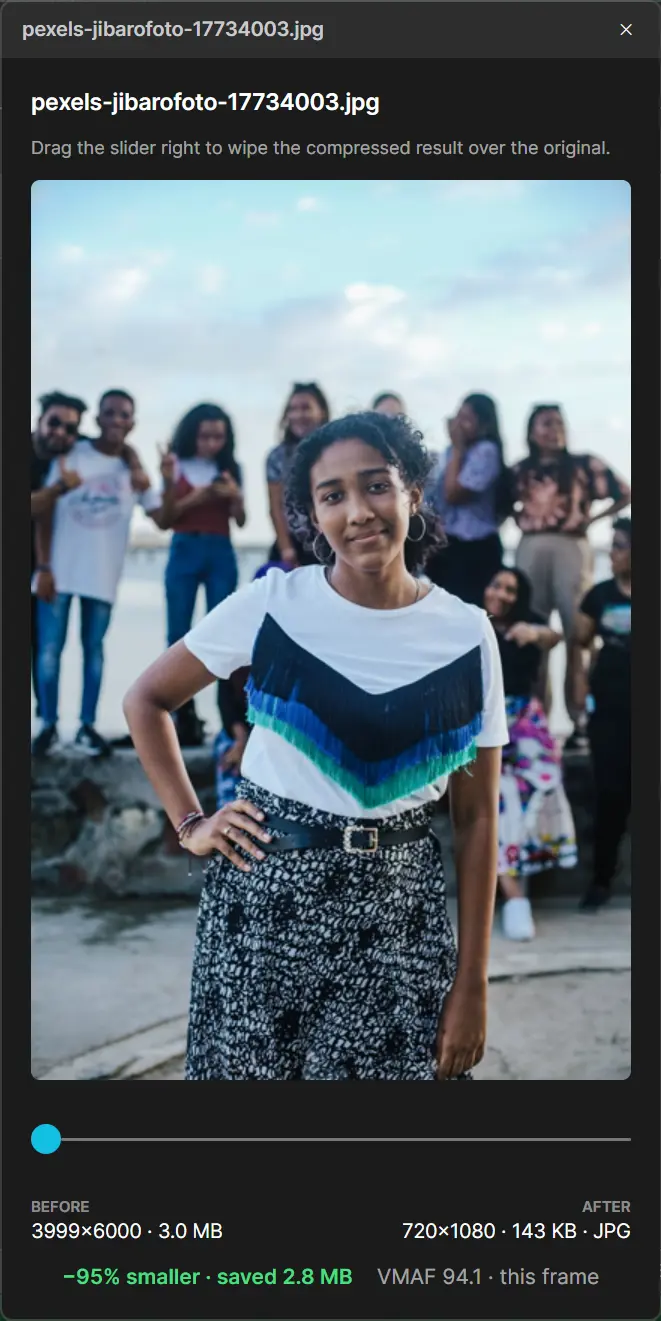
Drop in hundreds of images, videos and PDFs and optimize them all with one click.
Choose a baseline and let us pick the default settings.
You can always change profiles or adjust individual settings whenever you like.
Family & everyday photos
Good-looking photos that don't hog space, great for phone pics and albums.
Photographers
Preserve detail and your camera's EXIF. Quality first, minimal shrinking.
Web developers
Modern formats and tiny, web-ready files. WebP images, metadata stripped.
Social creators
Platform-friendly 1080p clips and crisp images, balanced for fast uploads.
Your files never leave your computer.
Most compressors want you to hand your photos and footage to a website first. Skweejee is a desktop app, so everything happens on hardware you own. Sensitive shoots, private documents, unreleased work — none of it is ever exposed, because none of it ever moves.
We collect no user data at all. Same story as your files: nothing leaves your machine. The full privacy policy spells out the details.
0
bytes uploaded
No cloud, no server round-trips. Files are read and written directly on your disk.
100%
works offline
Pull the network cable and it runs exactly the same. There's nothing to phone home to.
Your
logs stay here
Diagnostic logs never leave the machine unless you choose to share them.

Point it at a folder and go do something else.
Skweejee is free, it runs on your own machine, and it doesn't need you watching over it.
Free · Microsoft Store only
What other people are asking
Are my files really processed locally?
Yes. Skweejee is a native desktop app, so it reads and writes files directly on your disk. Nothing is uploaded to a server, and it works with no internet connection at all.
How is this different from free online compressors?
Free tools shrink files, but you're guessing at quality, limited to a handful of files and handing your data to a website. Skweejee lets you set a visual quality target, verify the result before/after, batch hundreds of files, and keeps everything on your machine.
What is quality targeting?
Instead of picking a compression level and hoping, you choose how good the output should look. Skweejee uses VMAF (a perceptual quality metric) to find the smallest file that still hits that target, automatically.
How much does Skweejee cost?
Nothing. Skweejee is free on the Microsoft Store, and that gets you the whole app: every feature, no subscription, no per-file limits, and free updates delivered automatically through the Store. If you want to support development there is a Ko-fi page, but donating is entirely optional.
If it's free, what's the catch?
There isn't one. Skweejee has no ads, no telemetry, no accounts, and no upsells, and it never uploads your files. It is funded by voluntary donations, so if it saves you time, chipping in on Ko-fi is what keeps it maintained.
Which platforms are supported?
Windows today, installed straight from the Microsoft Store with no runtimes or dependencies to set up. Support for other platforms may come later.
Can it handle video, not just images?
Yes. Skweejee offers Handbrake-class video control: H.264, H.265, VP9 and AV1, hardware acceleration, cropping, denoising, resizing and target-file-size encoding, all batch-friendly.
Will it wreck my originals?
Never. Skweejee writes new, compressed copies. Your source files are left untouched, and the before/after view lets you confirm quality before you keep anything.